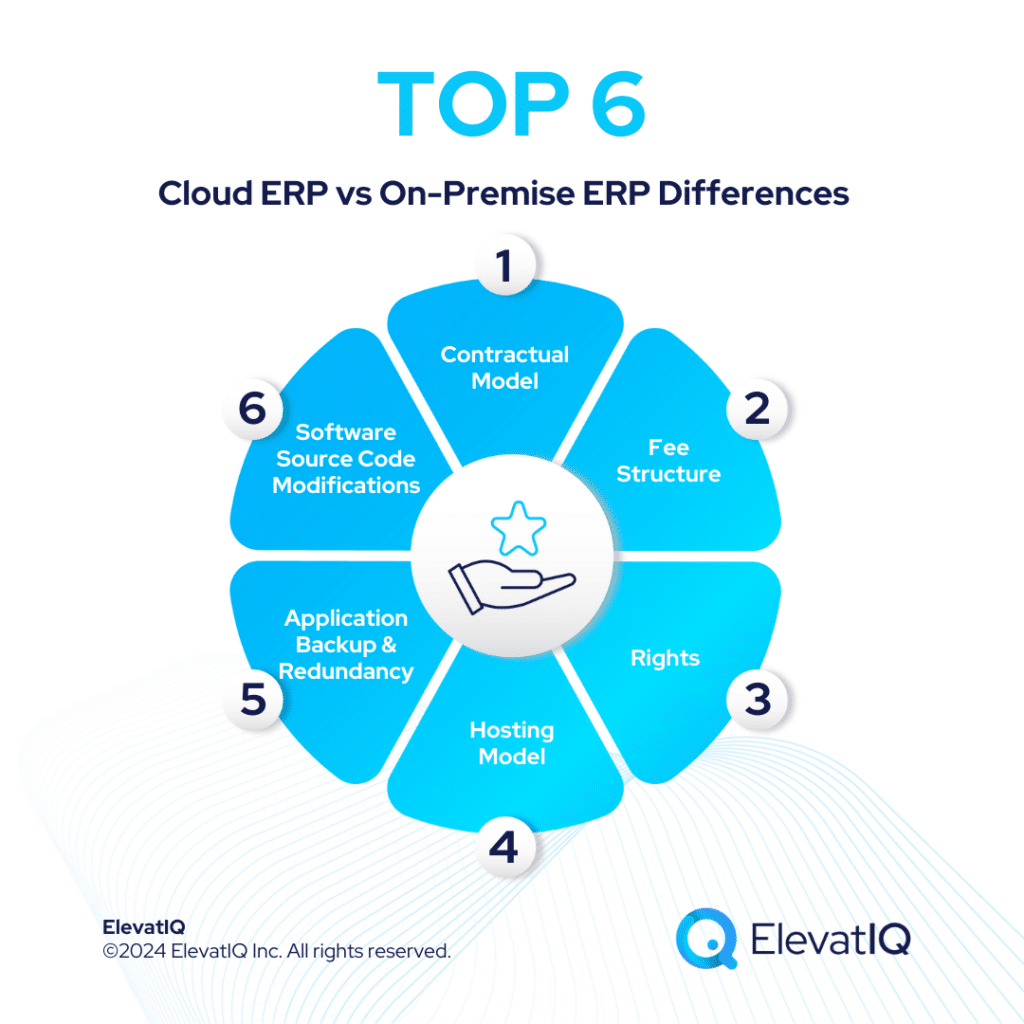
Cloud ERP vs. On-Premise ERP: A Comprehensive Guide to Choosing the Right Foundation for Your Business
In the dynamic landscape of modern business, an Enterprise Resource Planning (ERP) system is no longer a luxury but a strategic imperative. It serves as the central nervous system of an organization, integrating critical business functions such as finance, human resources, manufacturing, supply chain, and customer relationship management into a single, cohesive platform. By streamlining processes, enhancing data visibility, and facilitating informed decision-making, ERP systems are pivotal to operational efficiency and competitive advantage.
However, the journey to ERP implementation begins with a crucial decision: how will the system be deployed? This fundamental choice boils down to two primary models: Cloud ERP and On-Premise ERP. Each model presents a distinct set of advantages, challenges, and cost structures, making the selection a complex balancing act tailored to a business’s unique needs, resources, and strategic vision. This comprehensive article delves into a detailed comparison of Cloud ERP and On-Premise ERP, exploring their nuances across various critical dimensions to help businesses make an informed and future-proof decision.
Understanding the Fundamentals: What Are They?
Before diving into the comparison, let’s establish a clear understanding of each deployment model.
On-Premise ERP:
The traditional approach, On-Premise ERP, involves installing the ERP software directly on a company’s own servers and hardware, located within their physical premises. The organization purchases the software license, owns the infrastructure, and is entirely responsible for its management, maintenance, security, and upgrades. This model grants maximum control and customization but demands significant internal IT resources and upfront capital investment.
Cloud ERP:
Cloud ERP, often delivered as Software-as-a-Service (SaaS), represents a modern, flexible approach. The ERP software and its associated data are hosted on a vendor’s remote servers and accessed by users over the internet, typically through a web browser. Instead of purchasing a license, companies subscribe to the service, paying recurring fees (monthly or annually). The vendor is responsible for all aspects of hardware, software maintenance, security, and upgrades, significantly reducing the client’s IT burden.
A Head-to-Head Comparison: Key Dimensions
Let’s dissect the differences between Cloud and On-Premise ERP across critical business and technical dimensions:
1. Cost Structure and Total Cost of Ownership (TCO)
The financial implications are often the primary driver in ERP decisions.
-
On-Premise ERP:
- High Upfront Capital Expenditure (CapEx): Requires a substantial initial investment for software licenses, server hardware, network infrastructure, database software, and implementation services.
- Ongoing Operational Expenses (OpEx): Includes costs for IT staff salaries, hardware maintenance, software support contracts, power, cooling, physical security, and periodic hardware refreshes.
- Predictability: While initial costs are high, ongoing software license costs might be fixed (though maintenance contracts are extra). However, unexpected hardware failures or major upgrades can lead to unpredictable expenses.
- Total Cost of Ownership (TCO): Tends to be higher over a 5-10 year period due to the accumulation of all these expenses, including the often-underestimated cost of internal IT personnel.
-
Cloud ERP:
- Lower Upfront OpEx: Eliminates the need for large capital outlays. Businesses pay a predictable subscription fee, which typically includes software, infrastructure, maintenance, and basic support.
- Scalable OpEx: Costs scale with usage (e.g., number of users, modules). This makes budgeting easier and aligns costs with business growth.
- Predictability: Monthly or annual subscription fees are highly predictable, simplifying financial planning.
- TCO: Generally lower over the long term compared to on-premise, especially for small to medium-sized businesses, as it offloads significant IT management costs to the vendor. However, businesses must factor in potential data migration costs if switching vendors and internet service costs.
2. Implementation and Deployment
The speed and complexity of getting the system up and running differ significantly.
-
On-Premise ERP:
- Longer Deployment Cycles: Installation, configuration, hardware setup, and extensive testing can take months, sometimes even over a year, depending on the complexity and customization required.
- Resource Intensive: Requires dedicated internal IT staff or consultants to manage every aspect of the deployment.
-
Cloud ERP:
- Faster Deployment: Since the infrastructure is already managed by the vendor, deployment primarily involves configuration, data migration, and user training. This can significantly reduce implementation timelines, often measured in weeks or a few months.
- Reduced Resource Burden: The vendor handles the underlying infrastructure, allowing internal teams to focus on configuration and business process alignment.
3. IT Management and Maintenance
This is where the operational burden truly diverges.
-
On-Premise ERP:
- Full Internal Control and Responsibility: The company’s IT department is responsible for server maintenance, software updates, patching, backups, disaster recovery, security, and troubleshooting.
- High IT Overhead: Requires a skilled and often larger IT team to manage the ERP system 24/7, including hardware specialists, database administrators, network engineers, and security experts.
-
Cloud ERP:
- Vendor Manages Everything: The cloud provider is responsible for infrastructure maintenance, software updates, security patches, backups, and ensuring system availability.
- Reduced IT Burden: Frees up internal IT staff to focus on strategic initiatives, business process optimization, and user support, rather than routine infrastructure management.
4. Scalability and Flexibility
The ability of the ERP system to adapt to changing business needs is crucial for growth.
-
On-Premise ERP:
- Limited Scalability: Scaling up requires purchasing and installing more hardware (servers, storage), which is a time-consuming and costly process. Scaling down is equally complex and doesn’t typically result in cost savings.
- Less Flexible: Adapting to new business units, geographic expansion, or sudden increases in user load can be slow and expensive.
-
Cloud ERP:
- On-Demand Scalability: Cloud solutions are inherently designed for scalability. Businesses can easily add or remove users, modules, or storage capacity with a few clicks, and the vendor handles the underlying infrastructure adjustments.
- High Flexibility: Ideal for businesses with fluctuating demands, seasonal peaks, or rapid growth, allowing them to pay only for what they use.
5. Customization and Configuration
The extent to which an ERP can be tailored to unique business processes.
-
On-Premise ERP:
- Deep Customization Potential: Offers the highest degree of customization. Businesses can modify source code, integrate deeply with proprietary systems, and create highly specialized functionalities.
- Challenges with Upgrades: Extensive customization can make future software upgrades complex, costly, and time-consuming, as custom code may break with new versions.
-
Cloud ERP:
- Configuration over Customization: Cloud solutions typically offer extensive configuration options (e.g., custom fields, workflows, reports) within the vendor’s framework, allowing businesses to adapt the system without altering core code.
- Limited Deep Customization: Modifying source code is generally not permitted, as it would complicate the vendor’s ability to provide seamless updates and support for a multi-tenant environment. This can be a limitation for businesses with highly unique or niche processes that cannot be met by configuration alone.
- Easier Upgrades: Since core code isn’t altered, updates are smoother and automatically applied by the vendor, ensuring users always have the latest features and security patches.
6. Security and Data Ownership
Data security is paramount, and the locus of control differs.
-
On-Premise ERP:
- Full Control: The company has complete control over its data and security measures. It can implement its own firewalls, encryption, access controls, and physical security protocols.
- High Responsibility: This control comes with full responsibility. The burden of defending against cyber threats, managing compliance, and ensuring data integrity rests entirely with the internal IT team.
- Data Ownership: Clear; the data resides on company-owned servers.
-
Cloud ERP:
- Shared Responsibility Model: The vendor is responsible for the security of the cloud (infrastructure, physical security of data centers, network security), while the client is responsible for security in the cloud (data access, user permissions, application configuration).
- Vendor Expertise: Cloud providers often invest heavily in state-of-the-art security measures, certifications (e.g., ISO 27001, SOC 2), and dedicated security teams that individual businesses might struggle to match.
- Data Sovereignty and Compliance: Businesses must ensure the cloud provider’s data centers and practices comply with relevant industry regulations (e.g., GDPR, HIPAA) and data residency requirements.
- Data Ownership: While the vendor hosts the data, the client typically retains ownership. However, the client’s ability to directly access and manipulate the raw data can be limited compared to on-premise.
7. Accessibility and Mobility
The ability to access the system from anywhere, anytime.
-
On-Premise ERP:
- Limited Accessibility: Access is typically confined to the company’s internal network. Remote access often requires setting up VPNs or other secure remote desktop solutions, which can add complexity and security considerations.
- Less Mobile-Friendly: Older on-premise systems may not have robust mobile interfaces, limiting productivity for remote or field workers.
-
Cloud ERP:
- Ubiquitous Accessibility: As long as there’s an internet connection, users can access the ERP system from any device, anywhere in the world. This is ideal for remote workforces, multi-branch operations, and global businesses.
- Mobile-First Design: Many cloud ERP solutions are designed with mobile responsiveness in mind, offering dedicated mobile apps or browser-agnostic interfaces.
8. Updates and Upgrades
How new features, patches, and security enhancements are delivered.
-
On-Premise ERP:
- Manual and Infrequent Upgrades: Upgrades are major projects, often requiring significant planning, testing, and downtime. Businesses might defer upgrades for years to avoid disruption, leading to outdated functionality and security vulnerabilities.
- Customization Impact: Upgrades are complicated by extensive customizations, which often need to be re-applied or re-developed.
-
Cloud ERP:
- Automatic and Frequent Updates: The vendor automatically rolls out updates, patches, and new features, often several times a year, with minimal or no downtime. Users always have access to the latest version.
- Future-Proofing: Ensures the system remains technologically current and leverages the latest innovations without client intervention.
9. Disaster Recovery and Business Continuity
Protecting against data loss and system downtime.
-
On-Premise ERP:
- Client’s Responsibility: The company must design, implement, and test its own disaster recovery (DR) plan, including redundant hardware, offsite backups, and recovery procedures. This can be complex and expensive.
- Recovery Time Objective (RTO) and Recovery Point Objective (RPO): Achieving aggressive RTOs and RPOs requires significant investment.
-
Cloud ERP:
- Vendor’s Responsibility: Cloud providers typically offer robust DR and business continuity plans, leveraging geographically dispersed data centers, redundant systems, and regular backups.
- Built-in Resilience: High availability and fault tolerance are often standard features, providing greater peace of mind and reducing the client’s burden.
10. Integration Capabilities
Connecting the ERP with other business applications.
-
On-Premise ERP:
- Direct Database Access: Allows for direct integration with other on-premise or custom applications via database-level access.
- Complex Integrations: Can require custom coding and middleware, which can be time-consuming and expensive.
-
Cloud ERP:
- API-First Approach: Relies heavily on Application Programming Interfaces (APIs) for integration. Many cloud ERPs offer a marketplace of pre-built integrations with popular third-party applications.
- Potential for Integration Challenges: Integrating with highly specialized legacy systems or bespoke applications might require custom development of APIs or middleware, which can be more challenging than on-premise direct access.
Key Decision-Making Factors
Choosing between Cloud and On-Premise ERP is not a matter of one being inherently superior to the other; it’s about finding the best fit for your organization. Consider these factors:
- Business Size and Growth Trajectory: Startups and rapidly growing SMBs often benefit from the scalability and lower upfront costs of cloud. Larger enterprises with established IT infrastructure and complex legacy systems might lean towards on-premise, though many are now migrating to hybrid or full cloud models.
- Industry-Specific Requirements and Compliance: Highly regulated industries (e.g., healthcare, finance, government) may have stringent data residency, security, and compliance requirements that influence the choice. Both models can meet these, but the responsibility and approach differ.
- Budget and Financial Strategy: Evaluate your preference for CapEx vs. OpEx. Do you have the capital for a large upfront investment, or do you prefer predictable monthly fees?
- Internal IT Capabilities and Resources: Do you have a robust, skilled IT team capable of managing complex infrastructure and software, or would you prefer to offload that burden to a vendor?
- Customization Needs: How unique are your business processes? Can they be adapted to a configurable cloud solution, or do you require deep, code-level customization?
- Security Posture and Risk Tolerance: How comfortable are you entrusting your data to a third-party vendor? What are your internal security policies and capabilities?
- Accessibility and Mobility Requirements: Do you have a remote workforce, multiple locations, or a need for mobile access?
- Strategic Vision: What are your long-term goals for digital transformation, innovation, and competitive advantage? Cloud ERP often aligns better with agility and rapid technological adoption.
Conclusion
The debate between Cloud ERP and On-Premise ERP is fundamentally a choice between control and convenience, capital investment and operational flexibility. On-Premise ERP offers unparalleled control, deep customization, and direct ownership of infrastructure and data, but it comes at the cost of significant upfront investment, ongoing IT burden, and slower scalability. Cloud ERP, on the other hand, provides agility, lower TCO, reduced IT overhead, and ubiquitous accessibility, but might involve some trade-offs in terms of deep customization and direct control over infrastructure.
As technology evolves, the lines between these two models are blurring, with hybrid ERP solutions gaining traction. These models combine the strengths of both, allowing businesses to keep sensitive data or highly customized modules on-premise while leveraging the cloud for other functionalities.
Ultimately, the optimal choice hinges on a thorough evaluation of your organization’s specific needs, financial capabilities, risk appetite, and strategic objectives. A careful assessment, potentially involving external consultants, will ensure that the chosen ERP deployment model serves as a robust and future-proof foundation for your business’s continued success.