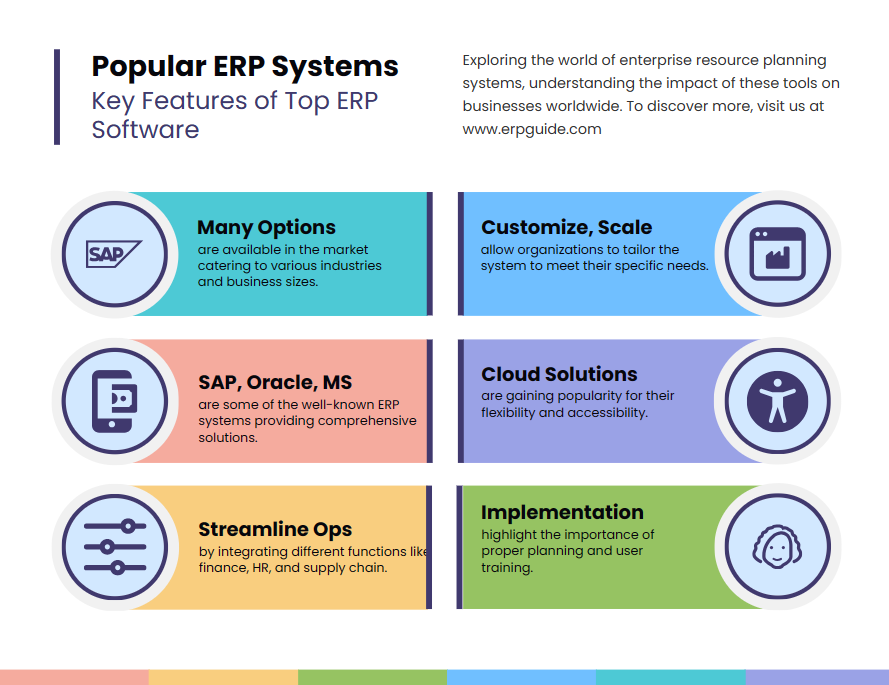
Unlocking Business Potential: A Comprehensive Guide to ERP Software Examples and Features
In today’s fast-paced and data-driven business landscape, organizations constantly seek ways to streamline operations, enhance efficiency, and gain a competitive edge. Enterprise Resource Planning (ERP) software has emerged as a cornerstone technology, integrating diverse business processes into a single, unified system. Far more than just an accounting tool, modern ERP solutions are powerful platforms that provide a holistic view of an enterprise, enabling better decision-making and fostering growth.
This article delves into the core of ERP systems, exploring their fundamental features, the myriad benefits they offer, the different types available, and shining a spotlight on prominent software examples that dominate the market. We will also touch upon the challenges of implementation and the exciting future trends shaping the ERP landscape.
What is ERP Software? A Foundational Understanding
At its heart, Enterprise Resource Planning (ERP) software is a suite of integrated applications that an organization can use to manage and automate many back-office functions related to technology, services, and human resources. The concept originated from Manufacturing Resource Planning (MRP II), which itself evolved from Material Requirements Planning (MRP). While early systems focused primarily on manufacturing and inventory, modern ERP has expanded to encompass virtually every aspect of a business.
The primary objective of an ERP system is to consolidate disparate departmental systems into a single, coherent database. This "single source of truth" eliminates data silos, reduces redundancies, improves data accuracy, and facilitates real-time information flow across the entire organization. From finance and HR to supply chain and customer relations, ERP acts as the central nervous system of a modern enterprise.
Key Features and Core Modules of ERP Software
A robust ERP system is characterized by its modular architecture, where different functionalities are grouped into modules that can be implemented individually or as a comprehensive suite. While the specific modules can vary by vendor and industry, the following represent the most common and critical features:
-
Financial Management (Accounting):
- General Ledger (GL): The backbone of financial reporting, recording all financial transactions.
- Accounts Payable (AP): Manages all money owed by the company to its suppliers and vendors.
- Accounts Receivable (AR): Handles all money owed to the company by its customers.
- Budgeting and Forecasting: Tools for planning, allocating resources, and predicting future financial performance.
- Fixed Asset Management: Tracks the lifecycle of tangible assets, including acquisition, depreciation, and disposal.
- Financial Reporting: Generates balance sheets, income statements, cash flow statements, and custom reports for compliance and analysis.
- Tax Management: Automates tax calculations and ensures compliance with local and international tax regulations.
-
Human Resources Management (HRM):
- Payroll: Automates salary calculation, deductions, and tax withholding.
- Recruitment and Onboarding: Manages the hiring process from applicant tracking to new employee integration.
- Time and Attendance: Tracks employee work hours, absences, and overtime.
- Performance Management: Facilitates goal setting, performance reviews, and feedback.
- Benefits Administration: Manages employee benefits such as health insurance, retirement plans, and paid time off.
- Employee Self-Service: Allows employees to access their HR information, update personal details, and request leave.
-
Supply Chain Management (SCM):
- Inventory Management: Tracks stock levels, manages warehousing, and optimizes inventory placement.
- Procurement (Purchasing): Automates the purchasing process from requisition to payment, including vendor management and contract negotiation.
- Logistics and Distribution: Manages the movement of goods, including shipping, transportation, and delivery tracking.
- Warehouse Management (WMS): Optimizes warehouse operations, including picking, packing, and putaway strategies.
- Demand Planning: Forecasts future product demand to ensure optimal stock levels and production schedules.
-
Manufacturing:
- Production Planning: Schedules and manages production orders, resources, and capacity.
- Shop Floor Control: Monitors and controls activities on the manufacturing floor, tracking work-in-progress.
- Material Requirements Planning (MRP): Calculates the materials and components needed to manufacture a product.
- Quality Control: Ensures products meet specified quality standards through inspections and testing.
- Bill of Materials (BOM): Defines the complete list of raw materials, components, and instructions needed to build a product.
-
Customer Relationship Management (CRM):
- Sales Automation: Manages leads, opportunities, quotes, and orders throughout the sales cycle.
- Marketing Automation: Supports campaign management, lead nurturing, and customer segmentation.
- Customer Service and Support: Handles customer inquiries, issues, and service requests.
- Sales Forecasting: Predicts future sales performance based on current data and trends.
-
Project Management:
- Project Planning and Scheduling: Tools for defining project scope, tasks, timelines, and resource allocation.
- Resource Management: Assigns and tracks human and material resources across projects.
- Cost Tracking: Monitors project expenditures against budgets.
- Progress Tracking: Provides real-time updates on project status and milestones.
-
Business Intelligence (BI) & Analytics:
- Dashboards and Reporting: Provides visual summaries of key performance indicators (KPIs) and customizable reports.
- Data Mining: Extracts patterns and insights from large datasets.
- Predictive Analytics: Uses historical data to forecast future trends and outcomes.
- Ad-hoc Querying: Allows users to create custom queries for specific data analysis.
-
Sales and Order Management:
- Order Processing: Manages the entire order-to-cash cycle, from order entry to invoicing.
- Pricing and Discount Management: Configures pricing rules, promotions, and special discounts.
- Quotation Management: Creates and manages sales quotes for potential customers.
Benefits of Implementing ERP Software
The integration and automation offered by ERP systems translate into a multitude of benefits for businesses:
- Improved Data Visibility and Accuracy: A single, centralized database provides a unified view of operations, leading to better insights and more reliable data for decision-making.
- Enhanced Operational Efficiency: Automation of routine tasks reduces manual effort, minimizes errors, and speeds up business processes.
- Cost Reduction: Optimized inventory management, streamlined procurement, and reduced administrative overhead contribute to significant cost savings.
- Better Decision-Making: Real-time access to accurate data and powerful analytical tools empower management to make informed and timely decisions.
- Increased Collaboration: Cross-functional teams can easily access and share information, fostering better communication and teamwork.
- Scalability: ERP systems are designed to grow with the business, adapting to increasing transaction volumes and new operational requirements.
- Improved Customer Satisfaction: Faster order fulfillment, accurate information, and responsive customer service lead to happier customers.
- Regulatory Compliance: ERP systems often include features to help businesses comply with industry regulations, accounting standards, and tax laws.
- Standardized Processes: ERP enforces best practices and standardizes workflows across departments, leading to consistency and predictability.
Types of ERP Systems
ERP systems can be categorized based on their deployment model and target market:
-
Deployment Models:
- On-Premise ERP: The software is installed and run on the company’s own servers and infrastructure. It offers maximum control and customization but requires significant upfront investment and ongoing IT maintenance.
- Cloud-Based ERP (SaaS ERP): The software is hosted by the vendor and accessed over the internet (Software as a Service). It offers lower upfront costs, scalability, automatic updates, and reduced IT burden. This model has become increasingly popular due to its flexibility and accessibility.
- Hybrid ERP: A combination of on-premise and cloud solutions, often used when a business needs to maintain certain sensitive data on-premise while leveraging the flexibility of the cloud for other functions.
-
Target Market/Size:
- Tier 1 ERP: Designed for large, multinational corporations (e.g., SAP, Oracle). They are highly complex, customizable, and expensive.
- Tier 2 ERP: Caters to mid-sized businesses with revenues typically ranging from $50 million to $1 billion (e.g., Microsoft Dynamics 365, NetSuite). They offer robust functionality at a more accessible price point.
- Tier 3 ERP: Aimed at small to medium-sized businesses (SMBs) with simpler needs and tighter budgets (e.g., Odoo, Sage Intacct). They are often more out-of-the-box and easier to implement.
- Industry-Specific ERP (Vertical ERP): Tailored to the unique requirements of a particular industry, such as healthcare, manufacturing, retail, or construction. These systems often come with pre-configured workflows and compliance features specific to that sector.
Prominent ERP Software Examples
The ERP market is diverse, with several powerful players offering solutions for businesses of all sizes and industries. Here are some of the most prominent examples:
-
SAP S/4HANA:
- Overview: A flagship product from SAP, a global leader in enterprise software. S/4HANA is an intelligent, in-memory ERP suite designed for large enterprises. It leverages the power of the SAP HANA database for real-time data processing and analytics.
- Key Strengths: Comprehensive functionality across all modules, industry-specific solutions, advanced analytics, real-time insights, strong global presence, and a vast ecosystem of partners.
- Target Audience: Large enterprises and multinational corporations across virtually all industries.
-
Oracle NetSuite:
- Overview: One of the pioneers in cloud-based ERP, NetSuite offers a unified business management suite encompassing ERP, CRM, professional services automation (PSA), and e-commerce. It’s known for its "single source of truth" approach.
- Key Strengths: Cloud-native architecture, comprehensive suite, strong financial management, highly scalable, good for growing companies and those with complex global operations.
- Target Audience: Mid-market businesses, fast-growing companies, and subsidiaries of large enterprises, across various industries.
-
Microsoft Dynamics 365:
- Overview: Microsoft’s suite of intelligent business applications that combine ERP and CRM functionalities. It’s modular, allowing businesses to choose specific applications (e.g., Dynamics 365 Finance, Supply Chain, Sales, Customer Service) and integrates seamlessly with other Microsoft products like Office 365 and Power BI.
- Key Strengths: Deep integration with the Microsoft ecosystem, cloud-first approach, AI and machine learning capabilities, flexible licensing, user-friendly interface familiar to Microsoft users.
- Target Audience: SMBs, mid-market, and larger enterprises looking for a flexible, scalable, and integrated solution within the Microsoft environment.
-
Infor:
- Overview: Infor specializes in industry-specific cloud software, offering ERP solutions tailored to manufacturing, distribution, retail, public sector, and healthcare. They focus on delivering a modern user experience (UX) and deep industry functionality.
- Key Strengths: Strong industry focus, modern user interface, cloud deployment, advanced analytics, and micro-vertical solutions.
- Target Audience: Mid-sized to large enterprises in specific industries that require specialized functionality.
-
Workday:
- Overview: Primarily known for its Human Capital Management (HCM) and Financial Management solutions, Workday offers a cloud-based ERP that is particularly strong in these areas. It’s built from the ground up for the cloud and focuses on intuitive user experience and analytics.
- Key Strengths: Robust HCM and financial capabilities, strong analytics and reporting, user-friendly interface, high customer satisfaction, and modern cloud architecture.
- Target Audience: Large and medium-sized enterprises primarily focused on optimizing their HR and finance operations.
-
Odoo:
- Overview: An open-source suite of business management software tools, Odoo offers a wide range of applications including ERP, CRM, e-commerce, accounting, manufacturing, and project management. Its modular design allows businesses to start with a few apps and add more as needed.
- Key Strengths: Open-source flexibility, cost-effective (community edition is free), extensive modularity, large app store, customizable.
- Target Audience: Small to medium-sized businesses (SMBs) looking for a flexible, scalable, and cost-effective solution, as well as businesses comfortable with open-source platforms.
Challenges of ERP Implementation
While the benefits are substantial, ERP implementation is a complex undertaking with potential pitfalls:
- High Cost: ERP systems involve significant investments in software licenses, implementation services, customization, and training.
- Complexity: The integration of multiple business functions into a single system is inherently complex and requires careful planning.
- Data Migration: Moving existing data from old systems to the new ERP can be time-consuming, prone to errors, and requires meticulous planning.
- User Adoption: Resistance to change from employees who are accustomed to old systems can hinder successful adoption.
- Customization Risks: Excessive customization can lead to higher costs, longer implementation times, and difficulties with upgrades.
- Vendor Lock-in: Switching ERP vendors can be extremely difficult and costly once a system is deeply embedded.
Future Trends in ERP
The ERP landscape is continuously evolving, driven by technological advancements and changing business needs:
- AI and Machine Learning (AI/ML): Integrating AI/ML for predictive analytics, intelligent automation (e.g., robotic process automation – RPA), demand forecasting, and personalized customer experiences.
- Internet of Things (IoT): Connecting ERP with IoT devices for real-time data from assets, production lines, and supply chains, enabling proactive maintenance and improved operational visibility.
- Blockchain: Enhancing transparency and traceability in supply chains, improving data security, and streamlining financial transactions.
- Mobile ERP: Increasing availability and functionality of mobile applications for ERP, allowing users to access data and perform tasks on the go.
- Low-Code/No-Code Platforms: Empowering business users to customize and extend ERP functionalities with minimal or no coding, increasing agility and reducing reliance on IT.
- Cloud-First and SaaS Dominance: The continued shift towards cloud-based ERP solutions due to their scalability, flexibility, and lower total cost of ownership.
- Headless ERP: Decoupling the front-end user interface from the back-end ERP logic, allowing for greater flexibility in creating custom customer experiences across various channels.
Conclusion
ERP software is no longer a luxury but a strategic necessity for businesses aiming to thrive in the modern era. By integrating core business processes, providing real-time data, and automating workflows, ERP systems empower organizations to achieve greater efficiency, make smarter decisions, and ultimately unlock their full potential.
While the implementation journey can be challenging, choosing the right ERP system—one that aligns with a company’s specific needs, size, industry, and strategic goals—is paramount. With a wide array of powerful solutions available from industry leaders like SAP, Oracle, Microsoft, and specialized vendors like Infor and Workday, coupled with flexible open-source options like Odoo, businesses have unprecedented opportunities to leverage this transformative technology. As ERP continues to evolve with AI, IoT, and cloud innovations, its role as the central nervous system of the intelligent enterprise will only grow stronger, driving businesses towards unprecedented levels of productivity and innovation.